






Note: This feature is part of the Revenue Reports Addon for Invoice Stack Pro, and included Invoice Stack Enterprise. Your 21-day free trial also includes this feature.
What are HubSpot Invoices?
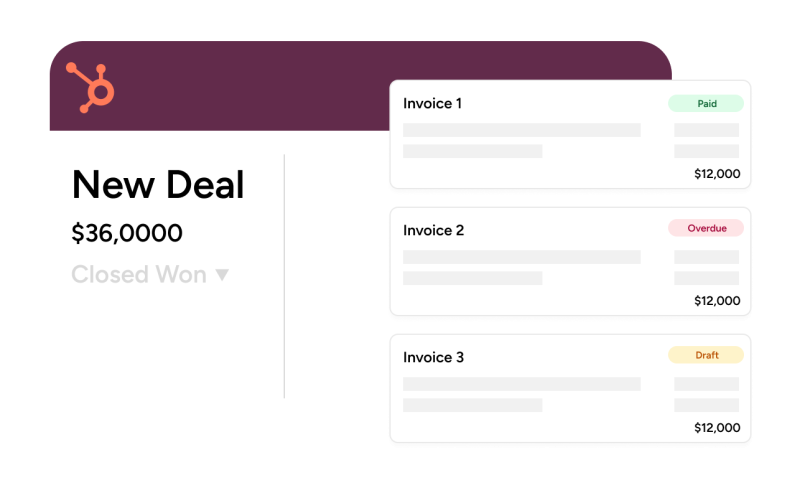
Invoices feature inside HubSpot as part of HubSpot Commerce Hub. They have their own Invoices section in the menu and are shown associated to deals and contacts or companies. Invoices can be created using HubSpot's interface or imported from other systems.
Because Invoice Stack uses our powerful invoice editor and syncs direct to Xero or QuickBooks Online - we usually skip the "HubSpot invoice" step and sync data direct to your HubSpot deal.
However, if you have multiple invoices on a deal and/or need granular data for revenue reporting or workflows then syncing to HubSpot invoices gives you lots more options for visibility, reporting and workflows.
How do I get started?
To get started with the Invoice Sync you must turn on the sync from the Revenue Reports page inside your dashboard - if you're eligible you'll see the option at the top of the screen:
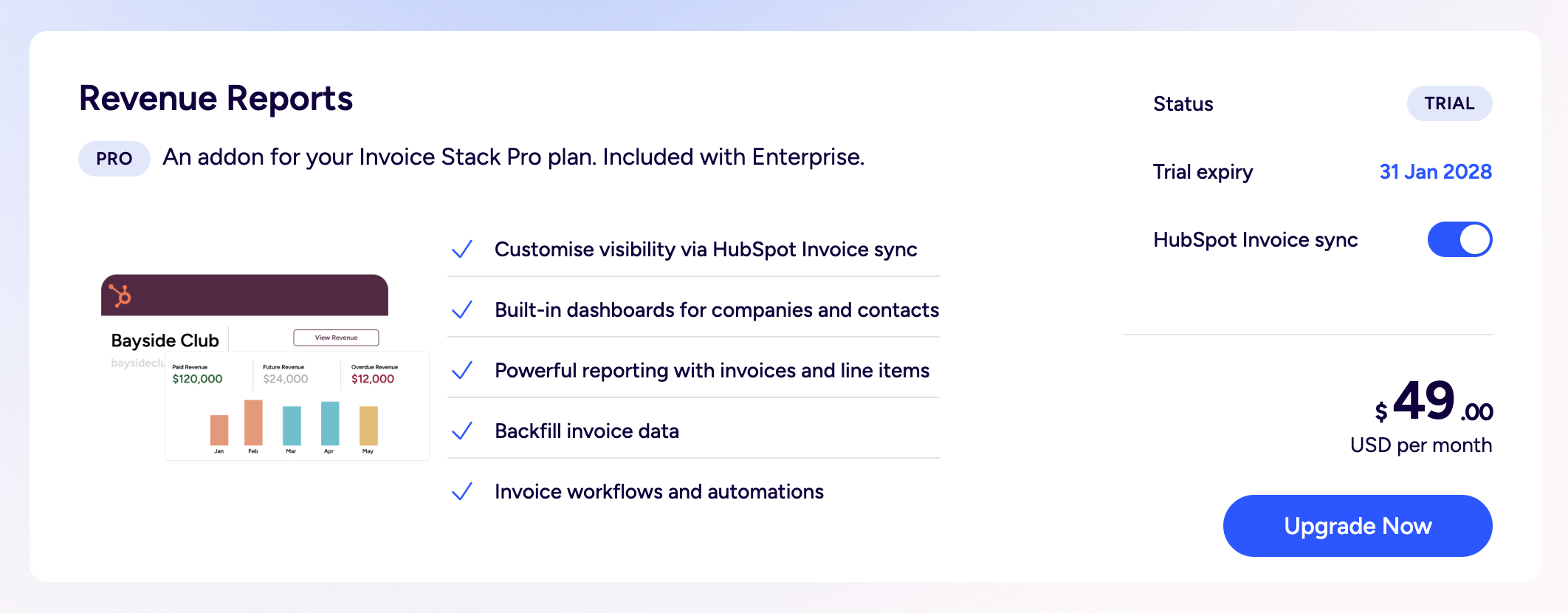
Once you've turned on the sync - any new or updated invoices will start syncing to HubSpot - you can then find your invoices associated to a deal, or in the Invoices section in the main HubSpot menu (under "Commerce").
If you're already using HubSpot's Xero Data Sync app to sync Invoice Data between Xero or QuickBooks Online and HubSpot - we recommend you turn this off or add a filter, otherwise you may end up with duplicates shown inside HubSpot. Invoice Stack improves upon this integration by syncing much more data and correctly syncing your invoices to deals.
If you're an existing Invoice Stack customer - you may need to update your HubSpot connection before enabling the Invoice Sync. Follow the prompts to the HubSpot section in your dashboard and click "Update". This will make sure the app has the correct permissions and invoice properties to sync to.
Note that we will only sync back invoices that were created inside Invoice Stack, not all of the invoices inside your accounting platform, if you would like to back-date data - take a look at how to import invoice data into Invoice Stack.
What data is synced?
Because the primary use case is reporting and visibility - Invoices are synced into HubSpot as "non-billable". This is to stop invoices from being edited within HubSpot's Commerce Hub editor or displayed or sent using HubSpot templates instead of those in your accounting platform. Invoices can still be edited and sent through the Invoice Stack window on your HubSpot deal.
If you would like to use HubSpot Commerce Hub alongside Invoice Stack, for example to use HubSpot payments, then please get in touch with us as this is currently undergoing testing as part of a beta programme.
To make sure the data is as accurate as possible - for some Invoice properties we use our own Invoice Stack version of properties instead of the HubSpot defaults (e.g. Invoice Status) - see the full list below. This may require some minor adjustments to existing views or defaults. See the full list at the end of this article.
We also sync the following associations:
- Deal <> Invoice
- Company <> Invoice (if B2B setting selected)
- Contact <> Invoice (if B2C setting selected)
- Deal Owner <> Invoice
Invoices are kept up to date whenever data changes inside your accounting platform, for example if the status changes, the invoice goes overdue or is deleted, voided or credited.
Building workflows and reports in HubSpot
Building Reports in HubSpot using invoice data
New - see a full walkthrough here: Tutorial: Revenue Reporting in HubSpot.
We recommend using the Custom Report Builder when creating reports in HubSpot - see documentation here.
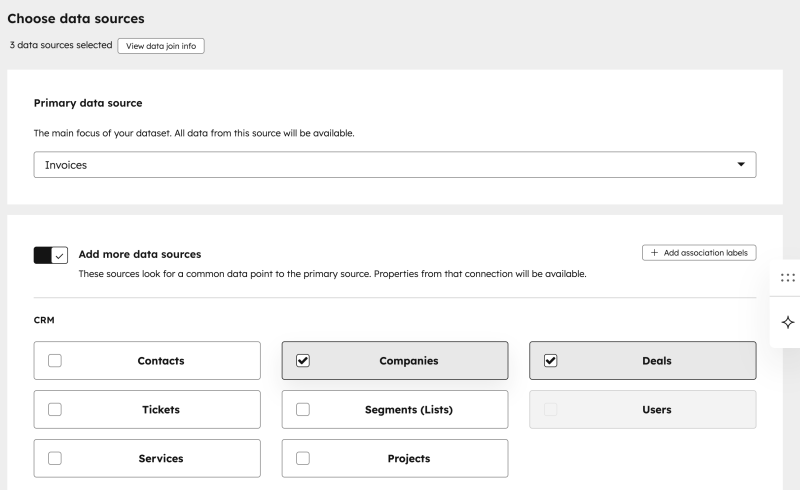
To use granular invoicing data, select the primary data source as "Invoices" - you can also select extra data sources to combine Line Items, Deal, Company or Contact data in your report. Refer to the properties at the end of this article to see what data points you can pull in.
Creating Invoice-based workflows
To create workflows based on your invoice data, simply create a new workflow in HubSpot and set the Trigger - for example "When property data changes". You'll be shown a list of "Objects" or "Records" inside HubSpot - simply select Invoice from the list and you'll be able to choose from the properties listed below.
Remember to make sure you use the "Invoice Stack" version of properties - for example use the "Invoice Status" as described below rather than HubSpot's default.
Full list of Invoice and line item properties
Invoice Properties
| Invoice Property | HubSpot Internal name | Description |
|---|---|---|
| Invoice Status | is_status | The current status of the invoice: Draft Approved (Xero only) Sent Paid Credited Void |
| Currency | hs_currency | The invoice currency code taken from the deal settings. |
| Invoice Date | hs_invoice_date | The invoice date synced to the HubSpot invoice object. |
| Due Date | hs_due_date | The invoice due date synced to the HubSpot invoice object. |
| Owner | hubspot_owner_id | The HubSpot owner copied from the associated deal. |
| Amount Billed | hs_amount_billed | The invoice total including tax less credits. Only set when the invoice is not billable. |
| Net Payment Term | hs_net_payment_term | The payment term in days. Only set for QuickBooks invoices when the configured term matches the invoice date-to-due-date gap. |
| Invoice Number | hs_number | The external invoice number from the accounting platform. |
| Comments | hs_comments | The custom message stored on the invoice, if present. |
| Total exc. tax | is_total_exc_tax | The invoice total excluding tax. |
| Amount Due | is_amount_due | The amount due on the invoice. |
| Tax Total | is_tax_total | The total amount of tax on the invoice. |
| Reference | is_reference | The invoice reference (Xero only) |
| Custom Field 1 | is_custom_field1 | The invoice custom field 1 (QBO only) |
| Custom Field 2 | is_custom_field2 | The invoice custom field 2 (QBO only) |
| Custom Field 3 | is_custom_field3 | The invoice custom field 3 (QBO only) |
| Currency Rate | is_currency_rate | The currency rate for this invoice. |
| Approved | is_approved | Shows true if this invoice is approved (Xero only) |
| Paid in full | is_paid_in_full | Shows true if this invoice has been paid in full. |
| Paid Date | is_paid_date | The date the invoice was paid in full. |
| Paid Total | is_paid_total | The total amount paid on this invoice. |
| Credited in full | is_credited_in_full | Shows true if this invoice has been credited in full. |
| Credit Total exc. tax | is_credited_total_exc_tax | The total amount credited on this invoice excluding tax. |
| Sent successfully | is_sent_successfully | Shows true if the email has been sent. |
| Bounced | is_bounced | Shows true if the email has bounced. |
| Overdue | is_overdue | Shows true if the invoice is overdue. |
| Voided | is_voided | Shows true if the invoice is voided. |
| Repeating | is_repeating | Shows true if this invoice was generated from a repeating invoice. |
| Payment Link | is_payment_link | Customer-facing payment link for this invoice. |
| External ID | is_external_id | The ID of the invoice in the accounting platform. |
| Connection Name | is_connection_name | Name of the Xero or QuickBooks account used to sync this invoice. |
| Last Updated | is_last_updated | The datetime when this invoice's Invoice Stack properties were last updated. |
Line Item Properties
| Line Item Property | HubSpot Internal name | Description |
|---|---|---|
| Price | price | The line item unit price. Negative prices are converted into discounts because HubSpot does not allow negative prices. |
| Quantity | quantity | The line item quantity. |
| Name | name | The line item description. |
| Discount | discount | The per-unit discount amount applied to the line item. |
| Discount Percentage | hs_discount_percentage | The percentage discount applied to the line item where applicable. |
| SKU | hs_sku | The SKU from the source line item. |
| Currency Code | hs_line_item_currency_code | The currency code taken from the deal settings. |
| Position on Quote | hs_position_on_quote | The display order of the line item. |
| Invoice Status | is_invoice_status | The status of the invoice that this line item belongs to. |
| Invoice Number | is_external_invoicenumber | The external invoice number of the invoice that this line item belongs to. |
| Payment Date | is_payment_date | The payment date of the invoice that this line item belongs to. |
| Tax Rate | is_tax_rate | The tax rate of this line item e.g. 20% |
| Tax Total | is_tax_total | The total tax charged for this line item. |
| Account | is_account | The account nominal code from your accounting platform |
| Tracking Category 1 | is_tracking_cat_1 | The Xero tracking category value |
| Tracking Category 2 | is_tracking_cat_2 | The Xero tracking category value |
| Class | is_class | The QuickBooks class for this product |
| Category | is_category | The QuickBooks category for this product |